
I manage three WordPress sites — livebeyondforty.com, papaboven40.nl, and mamaboven40.nl. I also hold down a full-time job.
The math does not work if I try to write every post by hand. I would need fourteen hours a day glued to a screen, and I am building this business on evenings and weekends. When you decide to step away from the corporate grind and chase geographical and financial freedom, your time is the currency that matters most. I needed leverage.
That leverage came from a decision most people get backwards: instead of renting AI capacity from a cloud provider per request, I would self-host AI infrastructure on hardware I already owned. Not enterprise server racks. A consumer NAS sitting on my desk. The goal was specific — a Dockerized multi-agent system that could draft, edit, and publish content across all three brands with as little human intervention as possible.
I have an IT background, but I am not a hardcore programmer. My real playing field has always been the space between technology and business. That turned out to be exactly the right place to be — because building an automated content engine today is not about writing thousands of lines of code. It is about connecting the right tools.
The hardware is a UGREEN DXP2800 NAS. A consumer-grade box, not a datacenter machine, running Docker containers on my desk. Inside those containers lives an isolated multi-brand environment — each site gets its own sandbox, its own configuration, its own ai agent infrastructure.
Three layers make up the stack.
First, the orchestration layer. Paperclip runs as the agent orchestration server — I think of it as the office manager for my AI workforce. It queues tasks, routes work to the right agent, and tracks what is in progress across all three brands. Without an orchestration layer, you end up with a dozen scripts firing in random order and nobody keeping score.
Second, the runtime. Hermes Agent is the engine that powers each individual agent — the thing that takes a task description and actually runs it. Agents call models through OpenRouter, which means one centralized billing account instead of managing API keys across half a dozen different providers. Claude Sonnet 5 handles architecture and technical problem-solving. Gemini Pro and DeepSeek 4V Pro handle drafting — raw notes go in, readable prose comes out.
Third, the integrations. Model Context Protocol tools connect the agents to real-world services. DataForSEO pulls keyword data. Higgsfield generates custom media. Google Analytics checks traffic. These are not theoretical connections — they are live integrations that let the agents do actual work instead of just generating text.
This is an ai automation workflow that runs on hardware I own. No per-request cloud fees for the AI engine itself. The only cost is the API usage through OpenRouter.
The first automated push to WordPress
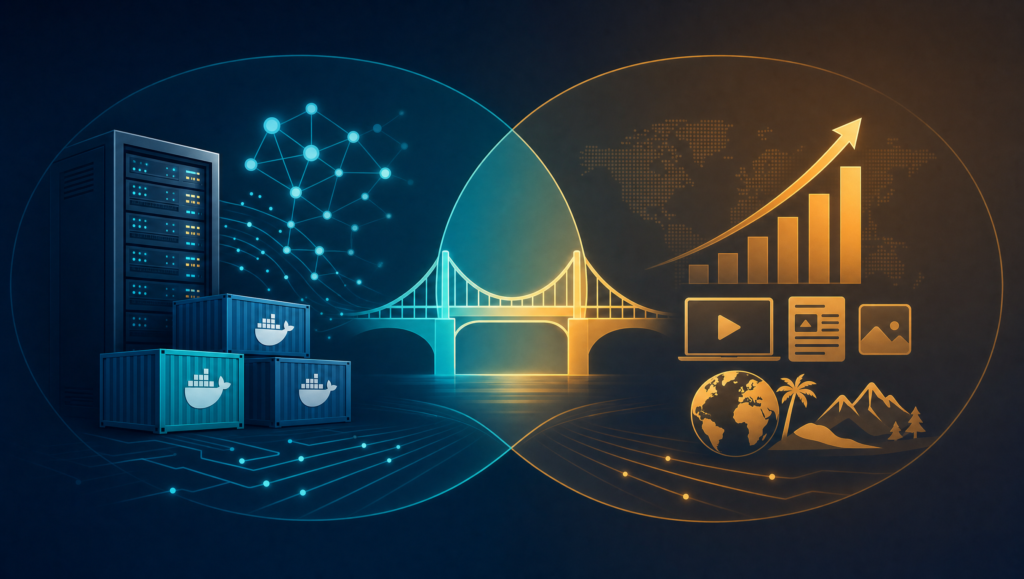
The moment the containers boot and all three brands run side by side, the system stops being a project and starts being a production line.
Here is what happens: raw notes and research go in at one end. Agents pick up the task, pull keyword data, generate images, format a post, and push it directly into WordPress through the REST API. A formatted, media-rich draft appears in the dashboard — researched, written, and illustrated — while I am at my day job.
This is not magic. It is a pipeline, and I built every step of it. The system handles the heavy lifting — research, drafting, image generation, formatting — and pushes the result straight into WordPress.
There is a quiet cost to self-hosting AI on local hardware. The NAS needs power. The router needs port forwarding. The whole system only runs when the hardware at my desk is on. It works, and it costs nothing extra per month outside API fees, but it ties me to a physical box in a way that a cloud setup never would.
Local NAS vs. cloud VPS — what self-hosting AI actually costs
Running a local NAS is the path I chose. It is not the only path, and it is not the path I would recommend for every reader.
| Local NAS (UGREEN DXP2800) | Cloud VPS (Hostinger) | |
| Upfront cost | Higher — you buy the hardware | Low — predictable monthly or annual subscription |
| Maintenance | Manual — hardware updates, local network, power | Handled by the provider — high uptime, remote access |
| Accessibility | Needs VPN or home port-forwarding | Accessible anywhere with an internet connection |
| Container readiness | Docker via UGOS Pro / Linux | Native Linux with one-click Docker templates |
The local setup gives you complete privacy and control. Your data, your API keys, your workspace files — all on hardware you physically own. Outside of API usage fees through OpenRouter, the AI engine costs nothing extra per month to run. It is also a genuine sandbox for experimentation — no bandwidth caps, no server timeouts.
But if you do not already own a NAS, buying one to host AI agents is a steep entry point. And even with the hardware in place, you are still managing power stability, network configuration, and device maintenance. For someone building a business that is supposed to buy freedom, being tethered to a box under your desk is its own kind of dependency.
That is where a docker vps hosting setup changes the equation. A Hostinger VPS gives you full root access to a Linux machine with native Docker support. You run the exact same containers — Paperclip, Hermes, MCP tools, OpenRouter — with zero hardware purchase and zero port forwarding. Same stack, different location.
I am not switching. My NAS is paid for and running. But if I were starting today from zero, I would seriously consider whether the cloud path gets me to a working system faster.
The VPS option — same stack, no hardware
If you do not own a NAS and want to build an ai agent orchestration system from scratch, a cloud VPS is the pragmatic starting point.
The architecture does not change. You still run Docker containers. You still connect Paperclip as the orchestrator, Hermes as the runtime, and MCP tools as the integrations. You still route models through OpenRouter. The only difference is that the machine running your containers lives in a datacenter instead of on your desk.
For readers who want the full hosting picture, I wrote about why I moved all my WordPress sites to Hostinger in a separate post about scaling beyond a single domain. The VPS path extends the same logic — predictable costs, managed infrastructure, remote access — to the AI layer itself.
Building a business after forty is not about working harder. It is about building systems that give you back your time. Whether you tinker with a local NAS or deploy straight to a virtual cloud server, taking control of your tech stack is one of the most practical steps you can take toward real operational freedom.
Resources
These are tools and services I use or have researched. Some links pay a commission at no extra cost to you. I only list what I personally use, test, or trust.
- Hostinger VPS — Docker-ready virtual servers with full root access. View plans
- UGREEN NAS — The DXP2800 I use for local Docker hosting. Browse hardware
- DataForSEO — The SEO data platform behind the keyword research in my workflow. Learn more
This post contains affiliate links. If you choose to sign up for hosting or VPS services through these links, I may earn a small commission at no extra cost to you. I only recommend tools and infrastructure that I personally use, test, or trust to power my own digital business journey.